SBI Fraud Alert 2025: Protect Your Bank Account from SIM Swap and Mobile Number Scams
 SBI Fraud Alert 2025: Protect Your Bank Account from SIM Swap and Mobile Number Scams
Estimated reading time: 12 minutes
Thank you for reading this post, don't forget to subscribe!SBI Fraud Alert: How to Protect Your Bank Account from Mobile Number Swap Scams (India, 2025)
Scammers are finding new ways to steal from people, and mobile number swap frauds are now on the rise in India. Recently, SBI issued a strong fraud alert after seeing cases where criminals managed to get a new SIM card for someone’s registered mobile number. This simple trick can give scammers direct access to all your banking OTPs and alerts, making it easier for them to drain accounts or block pension payments.
Your registered mobile number acts as the gatekeeper for your money. If you lose control over it, your bank account becomes exposed to all kinds of risks. SBI isn’t just warning people, they’re stepping up security and sharing tips so you can keep your number safe and stay protected from these scams.
For more details, check out this helpful explainer: SIM swapping: How to avoid this sneaky phone theft (YouTube)
Understanding Mobile Number Swap Fraud
Mobile number swap fraud might sound technical, but the trick is surprisingly simple: scammers manage to take control of your registered mobile phone number. Once they do that, they can break through many banking and financial security walls. Many people only realize what has happened after seeing odd alerts, blocked accounts, or vanishing funds. With cases rising fast in India, it helps to know the sneaky methods criminals use and why your phone number is such a tempting prize.
Common Scam Tactics Used by Fraudsters
Scammers use a mix of pressure, confusion, and clever scripts to get what they want. Here are some of the most common tricks:
- Phishing calls and SMS messages: You might get a sudden call or text claiming to be from your bank, the pension office, or even official helplines. These messages often sound urgent and alarming.
- Urgency about pending pension verification: A typical scam script warns you that your pension or essential service will be blocked unless you verify your details immediately. This plays on fear of losing money or benefits.
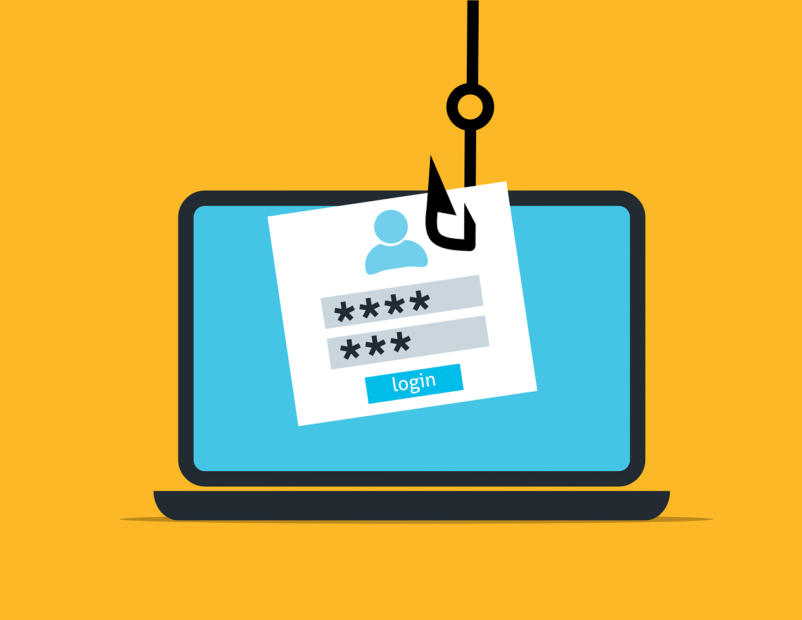
- Fake links and dangerous forms: Fraudsters often send links to websites that look very official. These sites might ask for your personal details, account info, or even an OTP. Some sites can trick you into entering your bank username and password.
- SIM swap request: Once they have enough info, scammers contact your mobile provider and request a SIM swap, pretending to be you. If successful, your phone number runs on their device.
When the attacker controls your number, they intercept every OTP (one-time password) your bank sends and get all security alerts you should be seeing. They quickly reset passwords, approve fund transfers, and may even change your account recovery details. Victims are often locked out before they know what’s happening. For a step-by-step breakdown of how scammers execute this scam, see this article on Tips to Identify SIM Swap Fraud.
Why the Registered Mobile Number Is the Key to Your Account
Your registered mobile number isn’t just another way banks reach you; it’s at the heart of your account security. Here’s why:
- OTP delivery: Most Indian banks send critical OTPs to your mobile for every big step, from logging in to confirming money transfers.
- Account recovery: Forgot your password? The reset link or code comes to your phone.
- Transaction alerts: Every withdrawal, deposit, or change to your account sends an SMS to your registered number.
If a criminal controls your mobile number, they can:
- Approve UPI or NEFT transfers out of your account
- Reset your mobile banking password and lock you out
- Change contact details or switch off alerts
- Steal pension, wage, or benefit money from government services
Your phone number can be a single point of failure if not guarded properly. The SIM swap scam overview explains how widespread and dangerous this attack has become worldwide. Indian banks, including SBI, now strongly encourage extra steps such as app-based authentication and careful monitoring to keep accounts safe.
Recognizing how this scam works and why your number is so valuable is the first step toward staying protected.
How to Identify Legitimate SBI Communications
Spotting real messages and calls from SBI can feel tricky, especially with fraudsters impersonating the bank using clever tricks. Knowing a few simple details makes it much easier to trust what’s real and delete what’s fake. Here’s how you can quickly sort the genuine State Bank of India communication from scams.
Official SBI Call Prefixes and Numbers
SBI uses specific phone numbers and patterns when reaching out to customers. Scammers often call from random or unfamiliar numbers, but the bank always sticks to set lines that are easy to spot:
- +91‑1600 series numbers: Some official SBI calls come from the 1600‑01‑8000 and 1600‑11‑7012 lines.
- Toll-free helplines: The most reliable way SBI contacts you is through these numbers:
1800 12341800 21001800 11 22111800 425 3800
- These numbers are listed right on the bank’s official contact page, which also shares details about different help lines and online support.
For total clarity, it helps to keep a screenshot of the SBI contact page (preferably in HD quality) saved to your phone gallery. This makes it easy to fact-check incoming calls. Don’t trust a caller just because they know your details or claim to be urgent—always look up the number first.
Red Flags in Fraudulent Messages
Fraudsters are getting creative, but their messages usually contain a few telltale signs that you can spot if you know what to look for. Here are the biggest warning signals:
- Unexpected links: SMS or WhatsApp messages with strange or shortened links shouldn’t be trusted. Fake sites might look like real SBI pages but steal your details.
- Urgency and threats: Messages that say your account will be locked or benefits stopped unless you act right now are trying to scare you into hasty decisions.
- Misspelled URLs or odd grammar: A real SBI alert always uses correct spelling and grammar. Slight mistakes in website addresses are a major red flag.
- Requests for sensitive info: No bank—including SBI—will ever ask for your password, debit card PIN, or OTP through SMS or email.
To protect yourself, compare any suspicious alert with genuine messages you’ve gotten from SBI before. Save a sample of real bank alerts for reference. An idea for future use: create an image that shows a side-by-side example of a real SBI SMS alert next to a common fake. This simple comparison could help family and friends spot scams even faster.
Staying sharp and checking every message or call against these points keeps your account much safer. For even more practical advice, take a look at SBI’s complete customer care and contact guidelines so you have official sources ready at your fingertips.
Step‑by‑Step Protection Measures
Your bank account safety often comes down to how well you secure both your mobile device and your online habits. Taking some simple actions now can block scammers from getting control of your money through a mobile number swap. Here’s a quick guide to the security steps you can take, whether you’re the family tech expert or just want peace of mind.
Secure Your Mobile and SIM
Most mobile number swap scams start when someone tricks your carrier into issuing a new SIM card for your number. Strengthening SIM security shuts the door on this trick and gives you more control.
- Set a SIM lock: Add a PIN to your SIM card. Even if someone steals your phone, they can’t use your SIM without this code. You’ll find the option in your phone’s settings. On Android, look under Biometrics and Security or “Other Security Settings.” For iPhone, set a SIM PIN under Cellular settings. You can read a simple walkthrough here: Set Up SIM Card Lock on Android & iPhone.
- Add a password or PIN with your carrier: Ask your mobile provider to put a unique password or PIN on your account. This means that before making any changes — like a SIM swap request — the carrier has to confirm your identity with this code. Learn more from Sim Swap prevention for dummies?.
- Watch for SIM change alerts: Mobile carriers usually send a text or email if your SIM is swapped. Treat these messages as urgent. If you didn’t approve a SIM change, contact your carrier and bank immediately.
A future image that would fit well here: A close-up HD screenshot of a phone settings screen, highlighting the SIM card lock/PIN feature, with arrows or circles marking the exact option to use.
Strengthen Your Online Banking Practices
Using strong security habits online can lock down your account, even if someone tries to break in through your mobile number.
- Enable biometric login: Use fingerprint or face ID to log in to your banking app. This makes it a lot harder for thieves to get in, even if they have your phone.
- Use a password manager: Create strong, unique passwords for your banking and financial apps. A password manager helps you remember them all without writing them in your notes app or using simple patterns.
- Avoid SMS‑based authentication when possible: SMS OTPs can be intercepted in SIM swap attacks. If your bank offers app-based or hardware token authentication, switch to it as soon as you can. This is much safer and blocks many forms of fraud. For more steps on improving your online safety, check this guide from McAfee: How to Protect Your Smartphone from SIM Swapping.
- Regularly review account activity: Open your banking app and scan your recent transactions every few days. If you spot something strange, report it right away. Scammers often test with small amounts first.
A great future visual here: An HD dashboard image showing banking app security settings, with toggles for biometric login, account alerts, and review activity.
Taking these steps builds strong barriers between your money and attackers trying to slip past your defenses. Small moves, like setting a SIM card pin or choosing app notification alerts over SMS, can make a huge difference in keeping your personal finances safe.
What to Do If You Suspect a SIM Swap
Acting quickly if you think your SIM card has been swapped can make all the difference in keeping your money safe. Losing access to your phone signal unexpectedly or finding you can’t receive OTPs should set off alarm bells. In this section, you’ll find trusted contact points, current reporting options, and practical support channels for SBI and national authorities. It’s important to know exactly where to turn when every minute counts.
Contact Points and Reporting Channels
When you suspect a SIM swap scam, don’t wait. Here are the official ways to get help fast:
1. SBI’s Official Cyber Security and Reporting Options
If your SBI account is involved, use these trusted channels:
- Phishing and Fraud Reports: Send an email with details to
report.phishing@sbi.co.in. Give as much info as possible (your name, mobile number, a brief about what happened, and screenshots if you have them). - Immediate Cyber Incident: Call the national cybercrime helpline at 1930. This number connects you directly to cyber security help.
- Cyber Security Page: SBI’s dedicated security page outlines their policies and gives current incident response details. Check the latest advice on SBI’s Cyber Security page for updates or alerts.
2. Cyber Crime National Portal
For scams and digital fraud involving mobile numbers, the national cybercrime portal is the official government option:
- Report Online: Log your case quickly at cybercrime.gov.in. The portal is set up for all types of cyber threats, including SIM swap scams and financial fraud.
- Track Complaints: After reporting, you can track progress and get assigned updates through the site.
Key Contact Table
Here’s a table for quick scanning and saving to your phone:
| Support Channel | How to Use | Details/Links |
|---|---|---|
| SBI Phishing/Fraud Email | Send detailed email | report.phishing@sbi.co.in |
| SBI Cyber Security Page | Review, get tips | SBI Cyber Security |
| National Cyber Crime Helpline | Call for urgent help | 1930 |
| Cyber Crime Online Portal | Report and track | cybercrime.gov.in |
What to Include in Your Report
When you reach out, share:
- Your name and SBI registered mobile number
- Date and time you lost access or noticed fraud
- Screenshots or SMS evidence (if any)
- A brief summary of what happened
This detailed information helps support teams investigate and act faster.
Reference Image: SBI Cyber Security Page

A snapshot of the official SBI cyber security page displaying current alerts, safety tips, and fraud reporting info. Keeping a screenshot handy can help you double-check you are contacting official support.
By saving these contacts and keeping reference material on your phone, you’ll feel more prepared if something strange happens with your mobile number or banking access. Reach out, provide the right details, and stop fraudsters in their tracks.
Conclusion
Staying one step ahead of SIM swap scams means protecting your registered mobile number as closely as you do your bank cards. You hold the power to block most attacks by setting up SIM locks, using stronger app-based authentication, and acting fast if anything feels off.
Make use of the checklist and reporting channels covered above. Save the key SBI contacts, snap HD images of official numbers, and set alerts that point out any sudden SIM activity. Simple actions will help keep scammers out and your savings secure.
Thanks for reading and looking out for your financial safety. To help others, share this post with friends or family who might need a reminder, and leave your own tips or questions below. Watch this space for more hands-on guides and real examples to stay safe in the future.