




How to Make a New AdSense Account in 2025: Full Signup and Approval Guide
 How to Make a New AdSense Account in 2025: Full Signup and Approval Guide
Estimated reading time: 16 minutes
Thank you for reading this post, don't forget to subscribe!How to Make a New AdSense Account (Step-by-Step Guide for 2025)
Monetizing a fresh website is a big step for any blogger or site owner, and Google AdSense is often the first door to open. AdSense lets you show ads on your site and start earning real money from your hard work. With Google’s latest policies for 2025, new rules make it even safer and more transparent for beginners.
This guide breaks the AdSense signup and approval process into simple steps, each one based on the very latest Google requirements. No matter your experience level or background, you can use this walkthrough to meet every rule and get your new account up and running smoothly. All details and recommendations here follow what Google asks for right now, so you can trust each step as you set up your site for success.
For a full video walkthrough, check out: How To Create A Google Adsense Account 2025 (Step-By-Step)
Who Can Make a Google AdSense Account? Key Rules to Know
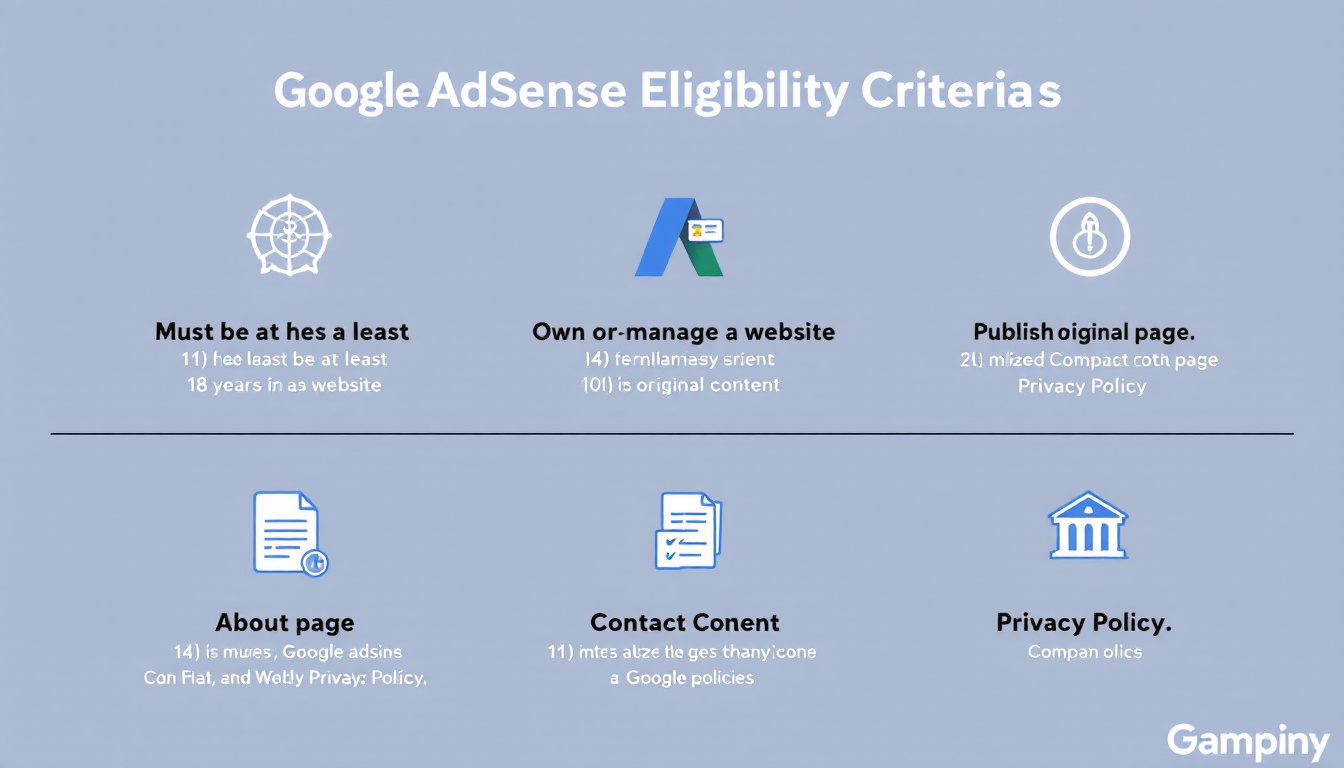
Before you start the account creation process, you need to know if you actually qualify for AdSense. Google does not let just anyone in. They want to see quality, responsibility, and real humans behind every site. If you want to save time and avoid headaches, pay close attention to the key rules below.
Age Requirement: 18 and Up
AdSense is for adults. You need to be at least 18 years old to apply. Google makes this very clear in their Terms and Conditions. If you are younger, a trusted adult (parent or guardian) will have to open the account for you. Google checks this, and if you get caught lying, you risk losing your earnings and access down the road. For more details on this, see the official rule in the AdSense eligibility requirements.
You Must Own or Control a Website
Owning a domain or having full control over a website’s content is not optional. Google asks for this because they need to know who is responsible for what shows up. Partnering on group blogs or renting web space does not cut it unless you personally manage what gets published. Blogs, personal websites, small business sites, and even forums count if you have full access.
Content Policies: Quality and Originality
Original, helpful content is non-negotiable. Google wants to show ads on sites that provide value. Here is what you need:
- Content must be unique and written by you, not copied from other sites.
- Your main pages should add value, not just act as link farms or scraped articles.
- Thin content, like pages with just a few lines, will not pass review.
- No spammy tricks; avoid auto-generated articles or overlapping text.
Sites with adult, violent, or hateful content get rejected right away. Double-check the latest Google AdSense content policies for specifics.
Required Pages: About, Contact, and Privacy Policy
Trust matters. AdSense looks for core pages on every site because they show that you mean business and are easy to reach.
Every approved site needs:
- An About page that explains who you are, your background, or what your site is about.
- A Contact page with a working email, a form, or another way to reach you.
- A Privacy Policy that explains how you handle visitor information and use cookies or third-party services.
These pages help you look professional. Sites without them risk instant rejection.
Website Simplicity and User Experience
Your website does not need to be fancy, but it does need to be simple to use. Google pays attention to how easy it is for someone to move around your site.
Keep these basics in mind:
- Easy-to-read navigation menus
- Clear categories or sections
- No broken links or missing pages
- No pop-ups that block content
If a visitor feels lost, Google reviewers probably will too.
New Sites vs. Established Sites
AdSense gives preference to established, trusted websites. That said, new sites can get approved if they:
- Follow every rule above
- Publish several helpful articles
- Show real effort in design and structure
Patience helps, but quality counts more than the age of your domain. Some regions may also have a minimum domain age, so check the age requirements for AdSense accounts.
Here is a quick summary table for reference:
| Requirement | Needed for AdSense Approval |
|---|---|
| Minimum Age | 18 years old |
| Website Ownership | Full control or ownership |
| Content Type | Original, helpful, no copyright violation |
| Key Pages | About, Contact, Privacy Policy |
| Usability | Simple, user-friendly design |
Making sure you meet every box will save you time and boost your chances of getting approved the first time. Consider reading this detailed AdSense eligibility guide for more insider tips.
Step-by-Step: Setting Up Your New AdSense Account
Getting started with AdSense feels like opening a door to a new stream of income. The process is friendly, but the steps matter. Google wants to know who you are, what your website brings, and where to send your earnings. Following each part carefully will help you pass Google’s review the first time.
Go to the Official AdSense Signup Page
Your journey begins on the official Google AdSense signup page. This is the safest starting line for new creators. Never sign up through a third-party site.
A clean, simple form will greet you. Keep your personal details handy.
Sign In With Your Google Account
You’ll need a Google account to move forward. Sign in with the account you use for Gmail or other Google services. Make sure this Google account uses your real legal name, especially if it ties to your bank account.
If you do not have a Google account, take a moment to create one with your correct information.
Enter Your Website and Language
The next step asks for your website URL. Double-check that you enter it exactly; even a small typo can stall your setup. Select your website’s main language so Google knows who your content speaks to.
If your site is brand new, ensure it is live and viewable by the public. Google will check before reviewing your application.
Provide Your Full Name, Address, and Phone Number
AdSense pays close attention to your personal details. Enter your:
- Full legal name (as shown on your government ID or bank account)
- Complete postal address (this is where Google will send your verification PIN)
- Valid phone number (you may receive a call or SMS to confirm your identity)
The information you provide here will be used to verify your identity and send payments. Make sure every detail is accurate. Mistakes can slow down or block your AdSense approval later.
Connect Your Website: Add the Verification Code
Now comes the technical step that proves you own your website. Google will give you a piece of code, called the AdSense verification code.
Here’s how to add it:
- Copy the code from the setup screen.
- Paste it into your website’s HTML, just before the
</head>tag. - If you use WordPress, look for trusted plugins like Site Kit by Google to add this code without touching your theme files.
Once the code is placed, publish your changes. Google will scan your site to verify that it is connected correctly. If you need more help, the complete setup guide from Google covers every detail.
Review and Submit Your Application
Before you hit submit, double-check everything. Are your name, address, and phone correct? Is your website live, and does it have key pages like About and Privacy Policy? When you’re confident, submit your application.
Google will now review your site and info. This step can take a few days, sometimes a week. No need for big traffic numbers, but having a handful of real visitors can improve your review outcome. Your site just needs to show you’re a real person behind a real project.
For reference, here’s a simple checklist:
| Step | What You Need |
|---|---|
| Google Account | Real name, ready to use |
| Website Details | Correct URL, main language set |
| Personal Info | Full legal name, current address, valid phone |
| Site Connection | Verification code added, or use a trusted plugin |
| Application Review | Double-check all fields before submitting |
For more about this setup process and live screenshots, visit Google’s detailed AdSense setup instructions.
By being honest, clear, and careful here, you give yourself the best shot at fast approval and smooth earnings.
Getting Approved by Google: What Happens Next?
After you hit submit on your AdSense application, the waiting begins—but it is more than just a pause. Google actually puts your site under a digital magnifying glass. This is the point where your earlier prep work pays off, or any small detail can spark a denial. Here is what really goes on behind the scenes, and what you can expect as Google makes their decision.
The AdSense Review Process: How Long Does It Take?
Google uses a team of real people and smart bots to review every new AdSense application. The whole process checks both your personal info and your website. Most applicants hear back within a few days, but it can sometimes stretch to two or even four weeks, especially during busy times or if your site needs a closer look.
You can track your status by logging into your AdSense dashboard. If things take longer than expected, this is normal—for many, it just means Google wants to check a few extra things. For more on official timeframes, see Google’s detailed AdSense setup FAQ.
What Google Checks During Approval
Google’s main goal is to protect advertisers and keep their network safe. This means your site and details must tick all their boxes. When the review starts, Google looks for the following:
- Content Quality: Pages should offer real value. That means useful info, clear writing, and no filler or spun text.
- Originality: Google hates copied content. Even a few copied paragraphs can instantly doom your application. Their bots are smart; always use your own words.
- Policy Compliance: Your whole website must follow AdSense’s policies, including adult content bans, restrictions on violence, and their privacy standards.
- Navigation: Reviewers look for working menus, easy-to-find pages, and no broken links or error pages.
- Required Pages: About, Contact, and Privacy Policy pages need to be in place and easy to find.
- Technical Setup: The AdSense verification code must be in your website’s code. If they can’t detect it, your approval will stall.
Here’s a quick checklist of what they scan:
| What Google Checks | Why It Matters |
|---|---|
| Unique content | Proves you are an original creator |
| Key pages (About, Contact) | Shows trust and real site ownership |
| Working navigation | Ensures users can move around easily |
| Compliance with policies | Keeps all ads safe for users |
| Valid verification code | Confirms technical control of the site |
Common Reasons for AdSense Rejection (and What to Fix)
If Google rejects your site, don’t panic. It happens to many first-time applicants, and most rejections are easy to fix. Here are the most common reasons and how you can address them before you try again:
- Thin or Incomplete Content: Add more helpful articles, beef up your guides, or fill empty categories.
- Copied or Low-Quality Text: Remove all copied material. Use original photos or graphics where possible, and rework any sections that sound generic.
- Missing Pages: Add or update the required About, Contact, and Privacy Policy pages. Make sure they all work and contain real information.
- Broken Links or Errors: Scan your site with a link checker and fix anything that leads to a 404 page.
- Technical Setup Mistakes: Double-check the verification code placement. If you use WordPress, make sure your plugin or manual entry is correct.
- Non-Compliant Content: Take down anything that violates AdSense’s most recent guidelines. Make sure your content is safe for all audiences.
Most of these fixes take only a day or two, but making them carefully can save you weeks of waiting. For real-world stories and timelines, you can also check forums like this Reddit discussion on AdSense approval times.
The Activation Email: Your Next Steps After Approval
When Google approves your account, you will receive an email. The subject line will confirm your success, and you can log in to see your AdSense dashboard unlocked for full use.
Right after approval:
- Confirm Site Connection: Your site should show as “Active” in the AdSense dashboard. This means Google can see your verification code and everything is ready.
- Enable Auto Ads: Google suggests activating Auto Ads right away. This feature lets Google pick the best spots on your site for ads. To do this, flip the Auto Ads switch in your dashboard and let Google take over the heavy lifting.
- Double-Check Settings: Update your payment settings and make sure your contact and bank info are correct.
- Watch for the PIN Mailer: To verify your address, Google will mail you a paper letter with a PIN code. Enter this PIN in your AdSense account to keep getting paid.
Take a deep breath—being approved is a real milestone! If you want a technical look into what happens on the backend, review Google’s official description of the AdSense approval pipeline.
This early window is the perfect moment to focus on writing new content, promoting your site, and watching your first ad impressions appear.
Tips to Boost Your Chances and Start Earning
Getting AdSense approval is not about luck; it is about stacking the odds in your favor from the very start. Think of your website like a garden. Rich soil, careful planting, and a little patience give you stronger roots and better growth. Treat your website with care, focus on quality, and you will put yourself on a fast track to not just approval, but actual income.
Here are some practical tips to help you get approved faster and set up your new AdSense account to start making real money.
Publish 30+ Original, Helpful Articles
One of the simplest ways to stand out is by quantity and quality. Google wants to see that your website brings real value. Aim for at least 30 unique posts or articles before you apply. Each post should answer a question, solve a problem, or share a story in your own words.
- Articles should be at least 800-1,000 words where possible.
- Avoid thin posts and obvious filler; show depth in your topics.
- Use easy formatting—break up text with headings, lists, and short paragraphs.
Sites with a larger library of content look serious and ready for long-term growth. For more publishing tips, check out these AdSense approval strategies.
Use Clean Layouts and Add Visuals
A cluttered website turns people away before they have a chance to read. Choose a clean, mobile-friendly design. Every visitor should be able to find what they need with a few clicks.
- Use white space to give your content room to breathe.
- Organize menus clearly, with categories for your main topics.
- Add images, infographics, or screenshots to each article (but only use photos you have the right to share).
Great visuals not only make your content easier to understand—they keep readers coming back.
Never Click Your Own Ads
It sounds like a shortcut, but clicking on your own ads is the fastest way to lose your account. Google’s system can spot fake clicks in a heartbeat, and they take this rule seriously. Ask friends and family not to click either.
Stick to building real traffic. Let visitors find and interact with your ads in a natural way.
Track Your Website’s Stats From Day One
You can’t grow what you don’t measure. Use tools like Google Analytics and the AdSense dashboard to see how people use your website.
- Monitor which pages get the most visits.
- See which topics are popular with your readers.
- Find out where visitors come from and how long they stay.
Tracking data helps you tweak your strategies, publish more of what readers want, and show Google you take your website seriously.
Always Follow AdSense Rules
Think of AdSense like a club with strict membership. If you break the rules, you lose entry—sometimes forever.
- Avoid putting too many ads on your page. Too many ads make your site look spammy, and Google may block your account.
- Stay clear of forbidden topics, such as adult material, hateful speech, or anything illegal.
- Double-check the latest official AdSense policies to keep up with rule changes.
Sites that treat these guidelines with respect become trusted partners for Google.
Build a Site with Real Users in Mind
Write for people, not robots. If your content feels forced or stuffed with keywords, visitors can tell. So can Google.
Focus on these basics:
- Easy navigation
- Fast loading times
- Helpful content that answers real questions
A site designed for real users wins favor with both search engines and AdSense reviewers.
Keep Improving Even After Approval
The journey does not stop when you get approved. Continuous improvement keeps your account safe and your earnings growing.
- Add new articles every week
- Respond to reader comments
- Keep your site updated for speed and security
Sites that grow and stay active are rewarded over time.
For more tips on approval and building a long-term income, you might find this guide on quick AdSense approval and monetization helpful.
By planting your seeds carefully and tending your website like a valuable crop, your AdSense account can grow into a genuine source of income that lasts. Treat your readers well, play by Google’s rules, and keep learning. Your earning journey starts here.
Conclusion
Starting an AdSense account is within reach for anyone willing to follow the right steps. By taking your time with each detail, from quality articles to clear site structure, you build trust not just with Google, but with every visitor. Today’s guide shows that reliable income on the web starts with patience and care, not luck.
The approval email is a sign of your commitment. Stay encouraged, keep improving, and let your effort grow into something real. Share this article with friends who need a first push or leave a comment below if questions pop up during your journey.
Thank you for reading. Your next milestone begins as soon as you take the first step. Now is the time to start your own AdSense story.



