




ads.txt Fixes: Stop Revenue Leaks Fast | Checklist for AdSense & SSPs
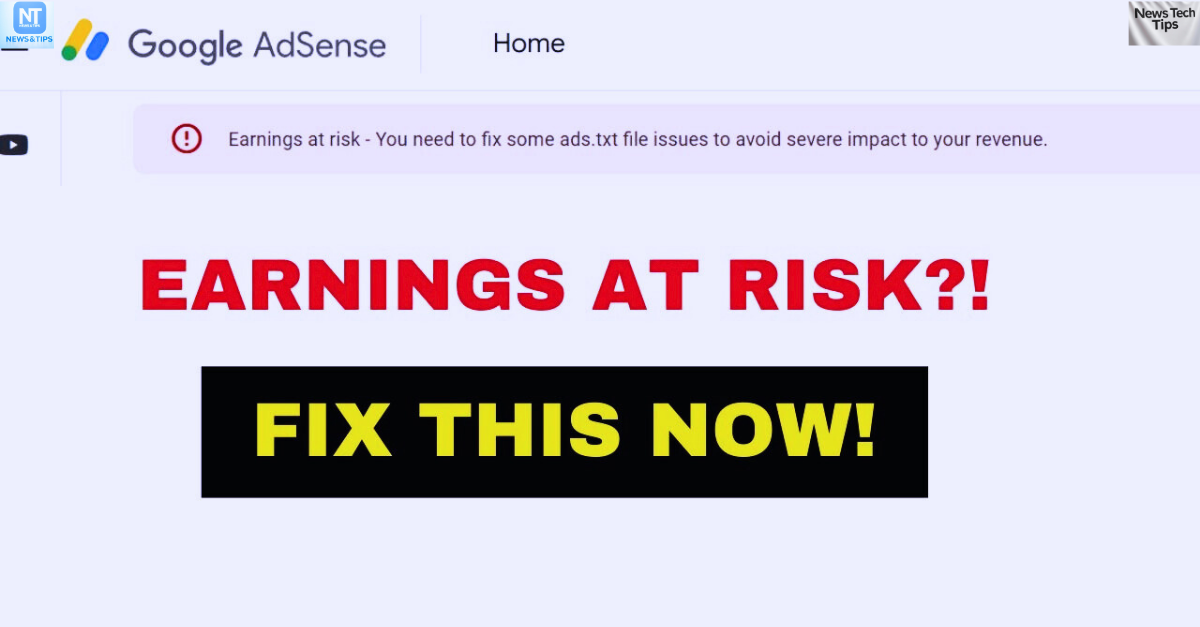 ads.txt problem solving guide fix common setup errors.
Estimated reading time: 11 minutes
Thank you for reading this post, don't forget to subscribe!ads.txt Problem Solver: Fix Revenue Leaks Fast (2025 Guide)
If ads on your site feel lighter than they should, check your ads.txt. It is a simple text file that lists who is allowed to sell your ad inventory, which blocks spoofed sellers and keeps earnings in your pocket.
Here is the kicker for 2025. Publishers are on track to lose about $40 to $41 billion to ad fraud and sloppy ads.txt management. Missing lines, wrong seller IDs, or outdated entries invite unauthorized resellers, lower bid quality, and drain revenue without warning.
This guide shows you how to stop leaks fast. You will get a clear checklist, safe copy and paste fixes, and quick tests to validate your file. We will cover common errors, like mis-typed exchanges, unverified accounts, duplicates, and when to use DIRECT or RESELLER. You will also see how to sync with your SSPs, roll out changes safely, and track uplift.
If you run AdSense, Ad Manager, or multiple SSPs, this was written for you. You will learn what to add, what to remove, and what to monitor daily, so buyers trust your supply path and pay more for it.
Want a quick refresher before you start?
Read on to lock down your ads.txt, restore buyer confidence, and boost earnings without guesswork.
What Is Ads.txt and Why Does It Matter for Publishers in 2025?
Ads.txt is your storefront sign for ad buyers. It tells the market who can sell your inventory and who cannot. When it is wrong or missing, spoofers slip in, buyers back off, and your bids fall. In 2025, clean, current ads.txt is a trust signal buyers check first.
What ads.txt is, in plain terms
Ads.txt is a simple text file in your site’s root, like example.com/ads.txt. It lists authorized digital sellers for your domains. Each line names an exchange or SSP, your seller account ID, relationship type, and an optional cert ID. This lets buyers validate supply paths before spending.
For a clear walk-through of what to include and how it works, see this practical overview: Ads.txt Guide: Implementation, Benefits, and Best Practices.
Why it matters in 2025
Programmatic buyers now filter hard against unauthorized supply. A stale file can block demand, slow approvals, and lower match rates. Keeping it current boosts trust and gets you into more auctions with better bid density.
Publishers are tightening review cycles. Many update ads.txt weekly or on every partner change to avoid soft blocks. Strong hygiene also helps you pass partner QA faster.
What changed with ads.txt 1.1
Ads.txt version 1.1 introduced optional fields like OWNERSDOMAIN and MANAGERDOMAIN. These add clarity on who owns the site and who manages monetization. While the core format is stable, adoption of these fields helps buyers confirm identity, which supports higher confidence at the top of the funnel.
For why frequent updates matter for revenue, read: Why Keeping Ads.txt updated is vital for publishers.
A quick revenue loss example
A mid-size news site added a new SSP but forgot to add its line to ads.txt. For 9 days, the SSP’s bids were flagged as unauthorized by major DSPs. Fill dropped 18 percent on mid-page units, RPM fell 22 percent, and the site lost four figures before anyone noticed. One missing row did the damage.
Key benefits you can feel
- Faster ad approvals: Clean authentication reduces partner back-and-forth.
- Higher bids: Buyers trust authorized paths, so more qualified demand competes.
- Protected income: Blocks unauthorized reselling that diverts your spend.
- Clear ops: A single, audited list reduces guesswork for your team and partners.
Keep the file lean, accurate, and synced with every active partner. Small file, big safeguard.
Top Ads.txt Problems Leaking Your Ad Revenue and Quick Fixes
Small errors in ads.txt can shut out serious buyers, lower bid density, and drain RPM. Use this list to spot the most common leaks fast, then apply quick fixes in the next section.
Missing or Not Found Ads.txt File
When the file is not at yourdomain.com/ads.txt, buyers cannot verify your sellers. Common causes include uploading to a subfolder, forgetting to publish on the primary domain, or blocking with a redirect.
- Revenue impact: DSPs skip your inventory or downgrade bids due to unknown supply.
- Quick fix: Create a plain text file, place it in the root directory, and make it publicly reachable. Google’s help doc on common ads.txt issues is a solid reference: Resolve common ads.txt issues.
Incorrect Publisher ID Errors
A publisher ID is your account identifier on an exchange or SSP, like AdSense’s pub-1234567890123456. If the ID in ads.txt does not match your actual account, buyers see it as unauthorized.
- Why it hurts: Mismatched IDs block bids or send them to a reseller, so your fill and RPM dip.
- Quick check: Compare each ID in ads.txt with IDs shown in your ad accounts or partner dashboards. Look for exact matches, including
DIRECTorRESELLERstatus.
Update Delays and Developer Bottlenecks
Slow updates leave new partners off the list and keep old or paused partners live. That creates wasted calls, breaks approvals, and confuses buyers.
- Lost revenue: New SSPs cannot bid, and outdated entries increase low quality paths.
- Speed hint: Use self-service tools or a CMS field that lets ops update ads.txt without waiting on engineering. Keep a shared change log to track adds and removals.
Wrong Domain Upload and Formatting Mistakes
Uploading to a subdomain like blog.example.com/ads.txt does not cover example.com unless you manage separate files for each domain. Syntax slips also cause blocks.
- Common syntax errors: Missing commas, wrong relationship type, or malformed cert IDs.
- Fix preview: Stick to one line per seller in this order:
domain, publisher ID, relationship, cert. Validate with a checker before publishing. This guide covers frequent errors well: 9 Common Ads.txt Errors and How to Fix Them.
Example format: google.com, pub-1234567890123456, DIRECT, f08c47fec0942fa0
Security Risks with Unauthorized Changes
If anyone can edit ads.txt, a bad actor can add fake sellers and siphon spend. Weak hosting credentials, FTP sharing, or lack of version control make it worse.
- Risk to revenue: Buyers see messy supply paths and lower trust. Fraud drains your auctions.
- Quick guardrails: Use HTTPS, restrict write access, enable 2FA, and monitor file changes. Set alerts for unexpected new sellers or relationship flips.
Step-by-Step Guide: Fix Ads.txt Issues and Seal Revenue Leaks Today
Follow this fast, 8-step process to fix ads.txt errors and stop money from slipping away. Each step is simple, practical, and proven for 2025. Do it today, and watch your bid quality and RPM recover within days.
1. Confirm the file exists and is reachable
Go to yourdomain.com/ads.txt in a browser. If it returns a 404 or a redirect, fix hosting or paths. For multi-site setups, check each domain and subdomain. Keep one plain text file per domain. This stops buyers from skipping your inventory due to missing authentication.
2. Verify every seller ID against partner dashboards
Match each line to your actual account ID. Check AdSense, Ad Manager, and every SSP dashboard. Confirm exact casing, spacing, and formatting. Use the right relationship type: DIRECT when you own the account, RESELLER when a partner sells for you. This blocks unauthorized bid paths and ID spoofing.
3. Validate syntax and fields with a trusted tool
Run your file through a validator to catch commas, typos, and format slips. A quick option: the free ads.txt Validator. Fix errors in one pass before publishing. Clean syntax keeps DSP filters open and prevents silent bid drops.
4. Cross-check against the IAB spec before you publish
Compare your structure with the current specification from the IAB Tech Lab: ads.txt resource. Confirm field order, allowed values, and optional fields like OWNERSDOMAIN. Aligning with the spec raises buyer confidence and reduces QA friction with new partners.
5. Fix errors, then push an immediate update
Correct bad IDs, remove dead partners, and add missing lines from approved sources. Keep one seller per line, in this order: domain, publisher ID, relationship, cert. Publish to root, then hard refresh. Rapid fixes reduce time in unauthorized status and speed up demand reinstatement.
6. Enable instant updates without dev bottlenecks
Give your ad ops team a safe way to edit ads.txt without engineering. Options include a CMS field, a managed script that writes to /ads.txt, or a short CI flow with approvals. Faster edits cut downtime for new partners and avoid backlogs that cost fill and RPM.
7. Run a quarterly seller audit
Every quarter, export partner lists from all SSPs and compare to your file. Remove paused or low quality resellers. Confirm DIRECT is used only when you control the account. Add missing sellers from active deals. A light, clean file improves supply path clarity and reduces auction spam.
8. Lock down security and monitor changes
Restrict write access, require 2FA, and use version control. Set alerts for file edits and watch for unauthorized sellers or relationship flips. Keep a change log with who, what, and when. Security stops silent hijacks that drain spend, while monitoring lets you revert fast if something breaks.
Start at step 1 and move down the list today. Most publishers see quick wins after steps 1 to 5, then stronger, lasting gains with steps 6 to 8.
Ongoing Tips to Keep Your Ads.txt Secure and Revenue Strong
Think of ads.txt as a living roster. It needs care, checks, and clean handoffs to protect your auctions. Use these habits to keep trust high and earnings steady month after month.
Run a light audit every quarter
A 15-minute review every 3 months saves a lot of pain. Compare your file with active partners, remove old resellers, and confirm every DIRECT truly belongs to you. Keep a small change log with date, editor, and reason. Simple habits prevent silent revenue dips.
- What to verify: seller domains, account IDs, relationship type, and cert IDs.
- Bonus win: sync with finance to catch partners you no longer bill.
For extra context on why fresh entries build buyer trust, skim this overview: Decoding Ads.txt: Your Roadmap to Transparent.
Use safe, fast update workflows
Give ad ops a controlled way to update without tickets. Options include a CMS field, a gated Git workflow, or a managed ads.txt tool. Require approvals for new sellers, then publish to the root in one step. Fast, safe edits cut downtime and keep deals live.
- Add guardrails: version control, 2FA, and least-privilege access.
- Keep one source of truth to avoid conflicting files.
Stay aligned with the spec
Tiny format slips break buyer checks. Review your file against current guidance, including app-ads.txt if you have apps or CTV. This quick guide is helpful for cross-surface best practices: Understanding Ads.txt and App-Ads.txt.
- Use the correct field order and allowed values.
- Add optional fields only when verified.
Plug ads.txt into your ad tech stack
Tie updates to partner onboarding, trafficking, and billing. When a new SSP goes live, an ads.txt line should ship the same day. When you pause a reseller, remove it in the same workflow. Fewer gaps, fewer soft blocks.
- Integrate with your SSP CRM or task board.
- Automate checks in CI to catch syntax issues before publish.
Monitor and alert like uptime
Treat ads.txt like a key service. Set a daily fetch to compare hashes, and alert on changes, missing files, or 404s. Track page-level “unauthorized” signals from partners to spot leaks early. A small alert can save a week of lost bids.
Make these habits routine, and your ads.txt will stay clean, trusted, and revenue positive. Ready to tighten it up today?
Conclusion
You now have a clear plan to stop ads.txt leaks fast in 2025. You covered the basics, fixed common errors, and followed a simple eight-step workflow. You also set habits for audits, safer updates, and alerts, so trust stays high and bids stay strong.
Clean syntax, correct IDs, and the right relationship types keep buyers confident. Fast edits, a single source of truth, and version control cut downtime. Regular seller reviews remove noise, keep supply paths short, and raise bid quality. Security and monitoring close the loop, so mistakes do not linger and bad actors cannot slip in.
Take five minutes today, open your file, and ship the fixes. Update missing lines, remove dead sellers, validate the format, then republish to root. Track changes, sync with partners, and watch your RPM and fill recover.
Your next steps are simple. Update your ads.txt now, share what you learned in the comments, and subscribe for more practical ad ops tips. Got a quick win or a tricky case, drop it below so others can learn too.
Small file, big results. Keep it lean, accurate, and current, and buyers will pay for the trust you build.



