




Best Tools for Secure Guest Content and Permission Management in 2025
Estimated reading time: 14 minutes
Thank you for reading this post, don't forget to subscribe!Top Tools for Managing Guest Content and Permissions (Secure Collaboration in 2025)
Managing guest content and permissions has become an essential task for businesses and content creators in 2025. With more people working together remotely, keeping control without slowing down collaboration is a constant challenge. Issues like security risks, content quality, and smooth access can quickly get complicated when guests need to contribute or view your materials.
This post will introduce practical tools that help you set clear rules, track guest actions, and protect sensitive information. These tools reduce headaches by automating permission settings and making sure only the right people get access. That way, you can focus on building great content and relationships while keeping your workflow secure and organized.
Here’s a video that further explains how to set permissions step-by-step:
Project Collaboration Tools with Guest Content Management
Managing guest contributors in project workflows requires more than just opening doors. It means knowing exactly who can see, edit, or comment on what content at any moment. The tools below shine by giving hosts clear, customizable permission settings that fit the complexity of guest collaboration today. From project tasking to visual boards and database-driven content, these platforms balance security and ease for teams working with external partners and clients.
ONES Project: Tailored Permissions for R&D Teams
ONES Project specializes in fine-tuned guest roles, designed for environments where confidentiality matters most. If your team handles research and development, you’ll appreciate its ability to assign different guest permissions—such as view-only, comment, or edit—for specific files or project stages.
With ONES Project, guests can participate without risking leakage of sensitive data. Permissions adjust on the fly, so as new findings or drafts emerge, guests see just what they need. Real-time updates keep everyone in sync even across time zones, making it a solid choice for R&D teams that juggle confidential input and external collaboration.
More about how ONES manages guest access in complex projects can be found in their guide to implementing guest access portals, which dives into practical use cases for secure sharing.
Asana: Intuitive Guest Management and Workflow Flexibility
Asana offers a clean, approachable interface packed with detailed permission controls. Here, guest users are typically invited to specific projects or tasks, so hosts can limit their visibility and actions without cluttering the workspace.
Guests in Asana can be assigned tasks, comment on work, and even participate in approvals, all while the host maintains full control over what sensitive info remains hidden. This approach keeps projects moving forward with valuable guest input, without opening access to the entire system.
For a comprehensive look at Asana’s permission options for guests and their workflow features, check out the Asana Permissions Overview and Guests FAQ.
Trello: Visual Boards for Simplified Guest Interaction
Trello’s strength lies in its visual, card-based system that breaks complex projects into manageable boards and lists. Guests can be invited to specific boards or even individual cards, so your team controls exactly where external contributors can participate.
With flexible permission settings, you can choose if guests can only view, comment, or actively edit cards. This keeps guest contributions focused on relevant sections, preventing accidental changes elsewhere. Trello makes it easy to track who’s involved and what’s being worked on at a glance.
If you want to dive deeper into managing guest access and permissions, Trello’s official guide to setting permissions and admin controls offers practical details and tips.
Basecamp: Streamlined Client and Guest Portals
Basecamp shines at creating a smooth experience for clients and external guests through dedicated portals. These portals bundle project updates, to-do lists, and messaging in one place that’s easy for guests to navigate.
Hosts control what content clients and guests can access and edit, keeping sensitive tasks private while fostering open communication where it matters. The integrated messaging lets everyone ask questions and share feedback without losing context.
For insights into how Basecamp manages online collaboration with guest roles, their People & Permissions help section covers common scenarios, including client workflows.
Airtable: Database-Driven Guest Content Management
Airtable approaches guest collaboration like a database puzzle—with a friendly interface. You can create custom views tailored for guests, showing only the records and fields they need to see or edit.
Permission sets in Airtable range from full editing rights to read-only access or commenting, helping teams craft exactly the right level of involvement. This makes Airtable ideal for projects that require structured data management alongside external input.
Explore Airtable’s detailed permissions overview to learn how to build guest views and protect your content while staying flexible.
Photo by AI generation
Each of these tools offers a unique way to keep guest access clear, controlled, and productive. Choosing the right one depends on your team’s specific needs—whether that’s protecting sensitive research, simplifying interaction with clients, or managing guest input within complex workflows.
Visitor Management Systems for Secure Physical and Digital Access
Visitor management systems (VMS) have become the gatekeepers of both physical and digital spaces, offering a smarter way to control who comes in, when, and where they go. These systems replace outdated sign-in sheets with technology that automates check-ins, tracks visits, and enhances security from the lobby to the server room. Whether it’s an office, school, or healthcare facility, having a reliable visitor management system is no longer optional—it’s essential.
These platforms blend digital forms and identification tools with physical access control. They provide a clear record of all visitors while reducing the risk of unauthorized entry. Beyond logging names, many systems now automatically print badges, verify IDs, and notify hosts instantly. Cloud hosting means visitor data is safe, accessible, and manageable from anywhere, freeing administrators from data silos.
Automated Check-In and Visitor Screening
Modern visitor management software simplifies the entry process for guests by allowing self-service check-ins on digital kiosks or apps. Visitors can scan government IDs, enter their contact information, or complete screening questions—this happens quickly and without the need for staff intervention. The system can automatically match visitors against watchlists or restricted entries to prevent potential security threats.
This automation does more than speed up arrival times; it creates an audit trail records every step of the visit, including time stamps and escorted areas. For businesses, this means better preparedness for audits, compliance, or emergency response. Healthcare, in particular, benefits from this real-time tracking to reduce infection risks by limiting and monitoring visitor access.
Badge Printing and Access Control Integration
Visitor badges printed on demand are another core feature of these systems. These badges can vary from simple name tags to color-coded passes indicating access level or visit purpose. By visually identifying visitors, staff and security can quickly assess who belongs where without needing to stop and verify identities constantly.
Integration with physical access systems allows badges to work as temporary digital keys. This means visitors can be granted entry to specific rooms or floors without handing out permanent credentials. Once the visit ends, the badge becomes inactive instantly, closing any security gaps.
Industries Making the Most of Visitor Management Systems
- Offices: Facilitates guest check-in for meetings and contractors, sending hosts real-time visitor alerts. Restricts access to sensitive departments.
- Schools: Tracks parent and vendor visits while controlling access to classrooms and administrative offices. Enables quick lockdowns during incidents.
- Healthcare: Manages patient and visitor flow, restricting entry during outbreaks and maintaining logs for contact tracing.
- Government Buildings: Ensures secure document handling with visitor screening and watchlist checks.
Each sector benefits from a tool designed to reduce risk, enhance professionalism, and streamline visitor handling. The cloud-hosted nature of many VMS solutions means updates, data backups, and scalability are handled effortlessly, supporting facilities of any size.
For organizations interested in learning more about today’s visitor management technologies and best practices, Avigilon’s visitor management overview offers an insightful resource explaining key features and benefits. Likewise, Lobbytrack’s visitor solution page details how automated check-ins and real-time alerts improve workplace safety and efficiency.
These systems do more than just record visitors—they create a secure environment where every entry and exit is accounted for, helping you control access both at the door and beyond.
User Access Management Tools for Controlling Guest Permissions
Controlling guest permissions means keeping a close eye on who can view or change your digital content. As the number of collaborators grows, especially external guests, it’s easy for permissions to pile up unchecked. That’s where user access management tools step in. They help you stay on top of access rights and prevent security gaps by automating reviews and aligning permissions with actual needs.
This section focuses on how automated user access reviews make sure guest permissions stay relevant and secure over time. You’ll also find examples of software that detect dormant accounts, tie in with HR systems, and simplify complex workflows to minimize risks.
Automated User Access Reviews for Up-to-Date Permissions
Over time, guest accounts tend to collect permissions that no longer fit their purpose. Employees switch roles, projects wrap up, or guests finish collaborations. Without regular checks, these outdated permissions become weak spots, like unlocked doors left hanging open.
Automated user access reviews (UARs) tackle this issue by conducting periodic audits of guest and user access. These reviews:
- Verify that each guest has only the permissions they currently need.
- Detect “orphaned accounts” that no longer belong to any active user.
- Alert administrators to over-permissioned accounts before they are exploited.
The best UAR tools integrate seamlessly with your HR systems. When a guest or employee leaves or changes role, their access permissions trigger automatic re-evaluation or removal, closing potential security holes instantly. This alignment also supports compliance with regulations such as GDPR, SOX, or HIPAA, which demand rigorous control of who holds what access.
Many platforms support Role-Based Access Control (RBAC), assigning permissions based on job functions rather than individuals. This way, you avoid manually micromanaging every permission and instead manage roles. RBAC, combined with the Principle of Least Privilege (PoLP), ensures users get the minimum necessary rights to do their job—nothing extra, nothing forgotten.
Here are a few notable tools in 2025 that excel at automated user access reviews and guest permission management:
- Pathlock specializes in risk-aware access reviews, especially for business-critical apps like SAP and Oracle. It uses RBAC and SoD (Segregation of Duties) analysis to prevent privilege conflicts and enforce strict compliance policies.
- Microsoft Entra ID (formerly Azure AD) offers built-in access review features, connecting with HR systems to deactivate or downgrade guest access automatically. It handles multi-cloud permissions and privileged identity management in one place.
- SailPoint IdentityIQ leverages AI to monitor access continuously, spot unusual privileges, and automate the entire lifecycle of guest account permissions—from provisioning to review to deprovisioning.
- CyberArk Identity focuses on securing higher-risk privileged accounts and provides just-in-time access, so permissions lift only when needed and drop back immediately after.
These platforms provide dashboards and workflows that make permission storms manageable. Automated alerts, review reminders, and audit logs mean no guest permission goes unchecked beyond a designated schedule.
The PAYOFF? No more guesswork or manual spreadsheet audits that leave holes or waste time. Instead, a reliable, repeatable process keeps guest access as tight and current as your latest team meeting notes.

Image generated by AI: IT admin conducting automatic access reviews with clear visuals for guest permissions.
Image created with AI: Demonstration of automated permission audits highlighting orphaned accounts detection and HR system integration.
For a deeper dive into specific tools that help you maintain tight control on guest permissions through automated reviews, check out Pathlock’s 2025 user access review software list and ConductorOne’s guide on user access review software. They break down how these platforms prevent security gaps and simplify compliance with real-world examples and workflows.
Content Management Systems Supporting Guest Contributions
Managing guest contributors within a content management system (CMS) has become essential for teams looking to expand their reach without sacrificing control. Modern CMS platforms give you the power to invite guest writers, editors, or collaborators while controlling exactly what they can create, edit, or publish. This balance between open collaboration and tight management keeps your content workflow smooth and secure.
Most CMS platforms offer detailed role-based permissions, so you assign guest users specific roles like contributor, editor, or reviewer. These roles determine their access level—whether they can draft content, make edits, or publish without approval. This framework lets guests participate without risking accidental changes to sensitive or finalized pages.
Beyond permissions, key CMS features for guest contributions include content scheduling and version control. Scheduling lets you plan when guest-created articles go live, ensuring content releases align with your calendar. Version control tracks every change, so you can compare revisions or roll back unwanted edits. These tools protect your site’s quality while keeping guest input flexible.
WordPress: The Flexible Giant for Guest Blogging
WordPress remains a top choice for guest content thanks to its vast plugin ecosystem and user-friendly interface. You can create custom roles with plugins like User Role Editor to match your exact needs. Guests typically start as “Authors” or “Contributors,” able to submit drafts but not publish directly, keeping control in the hands of administrators.
The Gutenberg editor offers an easy way for guests to format their articles without technical hassle. WordPress also supports scheduled posts, so your editorial calendar runs like clockwork. The built-in revision system means every change gets saved, helping you review guest work carefully before it goes public.
For a detailed look at WordPress guest roles and permissions, check out the Top 10 Content Management Systems for Your Blog in 2025.
HubSpot CMS: Seamless Collaboration with Marketing Power
HubSpot CMS blends content management with a marketing platform, perfect for teams who want guest contributions integrated with campaigns. It allows multiple collaborators with different permission levels to work on content in the same environment.
Guests on HubSpot can be assigned permissions that control editing or publishing, making collaboration straightforward while avoiding accidental posting. The CMS supports content scheduling, approval workflows, and even A/B testing. This strength makes HubSpot ideal when guest content needs to fit tightly into marketing strategies.
The platform’s drag-and-drop editor makes it easy for contributors unfamiliar with coding, and changes are tracked with version history for peace of mind. You get the best of content control combined with marketing insight.
Ghost: Streamlined Publishing for Writers and Editors
Ghost takes a simpler, focused approach on publishing and is popular among content teams emphasizing speed and clean design. It provides a clear permission structure where guests can be authors who draft and edit, but articles require publisher approval to go live.
This CMS stands out for its straightforward workflow and real-time collaboration tools. It keeps guest roles lean, so contributors focus on content creation without the distraction of complex settings. Ghost’s post scheduling and version control let you keep your publishing calendar organized while always knowing who made what changes.
Ghost fits content teams that want a smooth guest writing system without the distractions of unnecessary features. For more on CMS options, see Best Content Management Systems (CMS) of 2025.
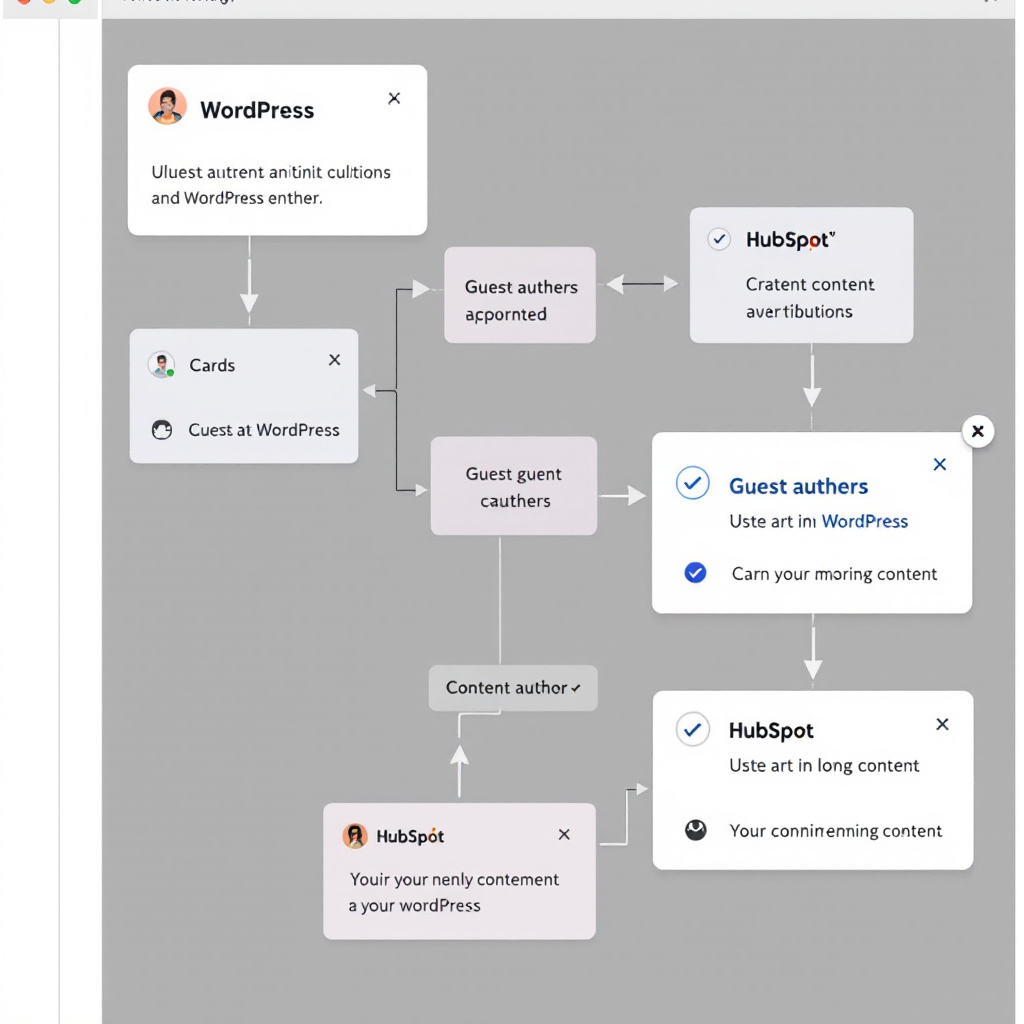
Image created with AI illustrating guest authors working within WordPress and HubSpot using a step-by-step content approval process.
These CMS tools simplify the complexity of guest content management while protecting your site’s integrity. Role-based permissions, scheduling, and revision control create a clear workflow, reducing the risk of mistakes and improving collaboration. Whether you need a robust system like WordPress, marketing-driven control with HubSpot, or a clean editorial focus in Ghost, these platforms have you covered for managing guest contributions effectively.
Conclusion
Choosing the right tools to manage guest content and permissions is essential for keeping workflows secure and productive. Combining project collaboration platforms, visitor management systems, user access tools, and content management systems gives teams control over who sees and edits what, while simplifying guest interactions.
By matching tools to your specific needs, you reduce risks like data leaks or permission errors, and create a clearer, more efficient collaboration environment. Whether your focus is sensitive research, client communications, or streamlined guest publishing, the right mix helps maintain balance between accessibility, security, and ease of use.
Take time to evaluate each tool’s permission features and automation options. Doing so will keep guest access tight and current, letting your team focus on the work that matters without worrying over locked doors or open windows. Your secure collaboration depends on this thoughtful approach to guest content management.



